
Core Features
Context Engine: AI That Understands Your Compliance Environment
Stop getting generic AI answers. The Context Engine knows your tools, industries, and frameworks, delivering specific, actionable guidance for every client.
The Problem with Generic AI
Ask ChatGPT, "How do I implement multi-factor authentication?" and you'll get a generic, textbook answer.
But you don't need generic advice. You need specific guidance based on:
- The tools you've actually deployed (Microsoft Entra ID, not generic a "identity provider")
- Your client's industry (HIPAA requirements for healthcare, not generic security)
- Your compliance frameworks (CMMC Level 2, not vague "best practices")
- Your MSP's service model (who's responsible for what)
Generic AI gives generic answers. Context Engine gives answers tailored to your business.
How Context Engine Works
The Context Engine is the intelligence layer behind every AI feature in v10. It builds a rich understanding of your business and automatically injects that context into every AI interaction.
Step 1: MSPs Configure Once
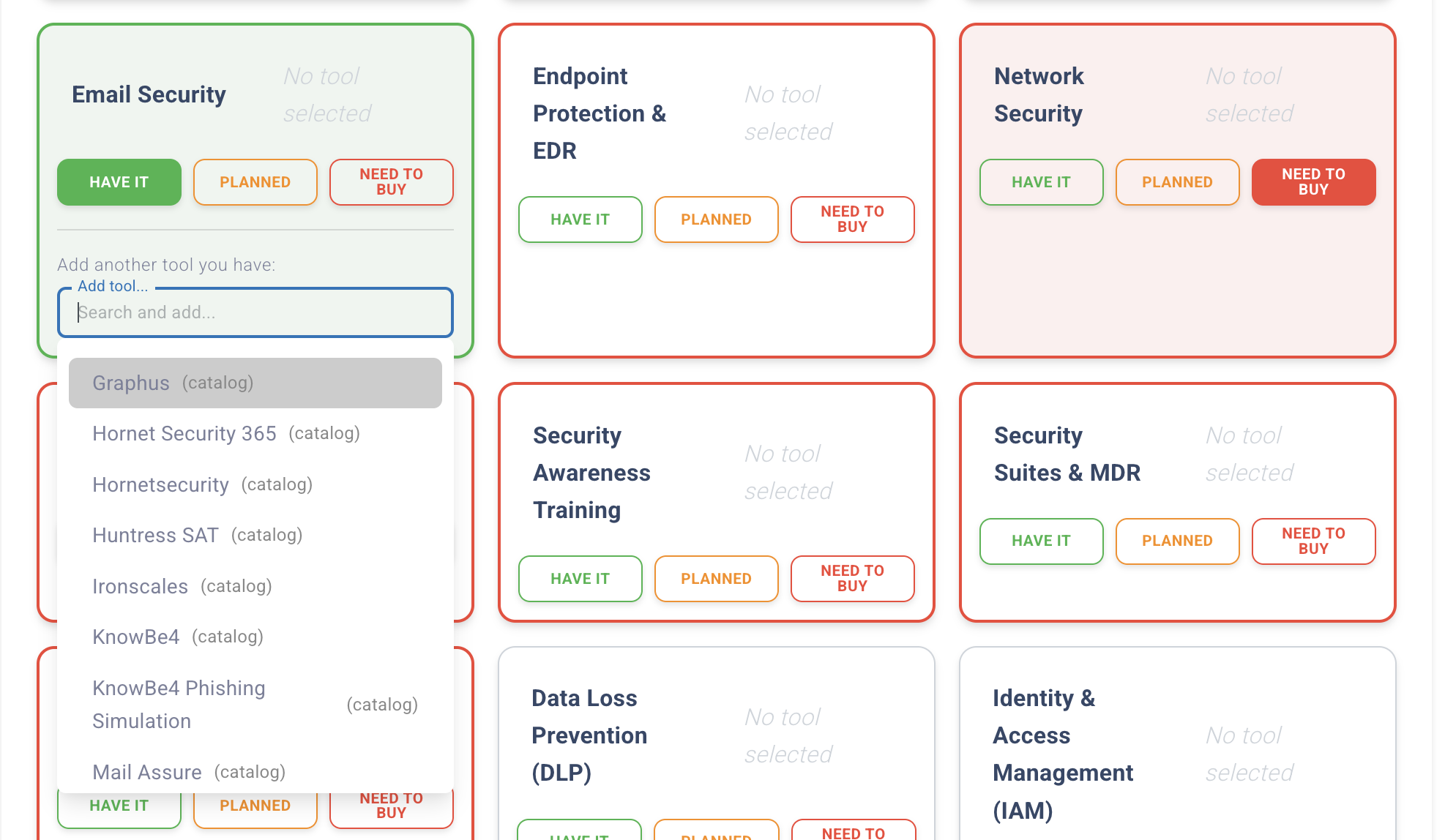
MSP AI Setup - Selecting security tools from catalog of 40+ options
Complete the 7-step AI Setup Wizard to define your baseline context:
- Security tools - Select from 33 cataloged tools (Defender, CrowdStrike, KnowBe4, etc.)
- Industries served - Healthcare, Finance, Government, IT, Manufacturing
- Compliance frameworks - NIST, CMMC, HIPAA, SOC 2, ISO 27001 (28 total)
- Shared Responsibility Matrix - Define what the MSP and client handle
- RACI assignments - Who's Responsible, Accountable, Consulted, Informed
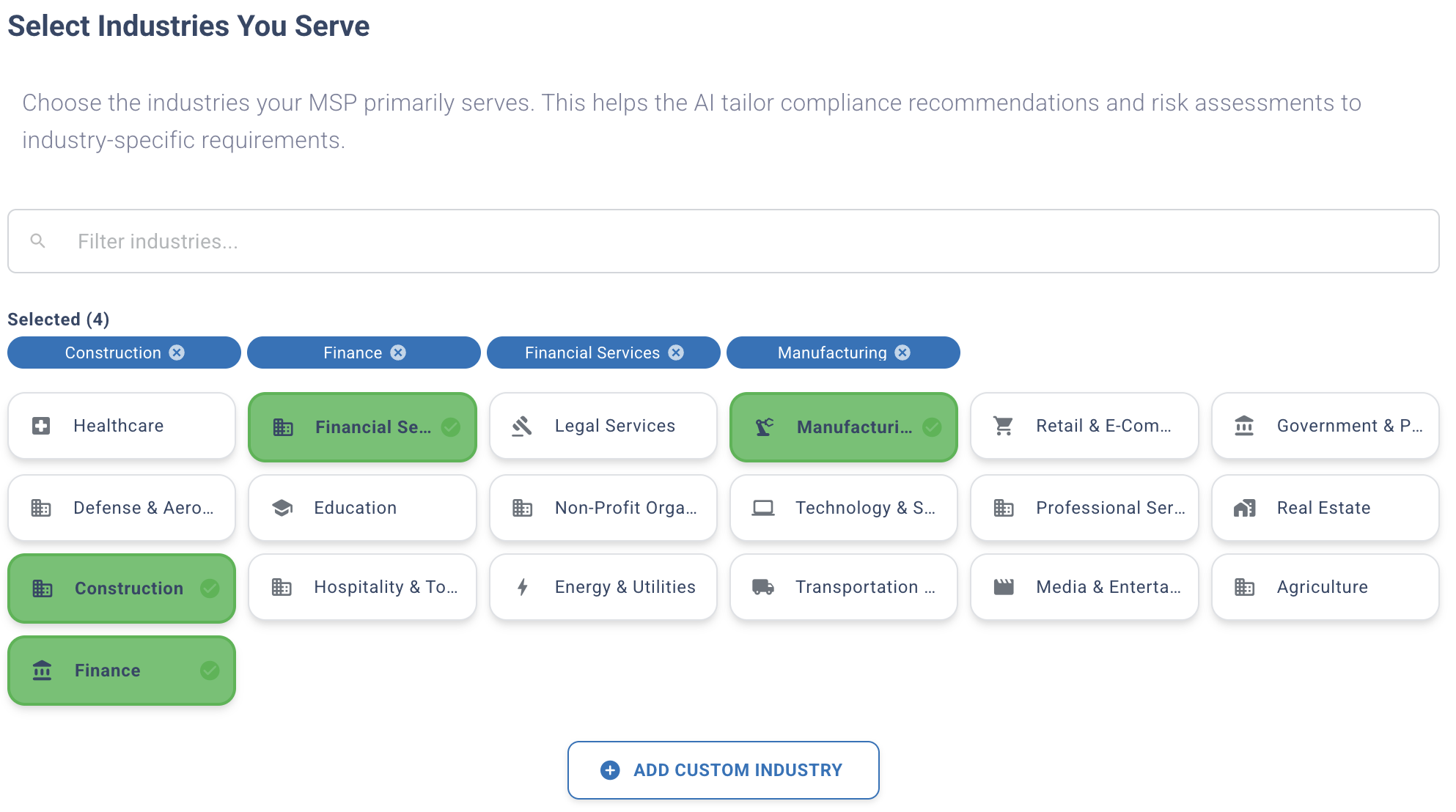
Selecting target industries to customize AI-generated content
Step 2: Clients Inherit Automatically
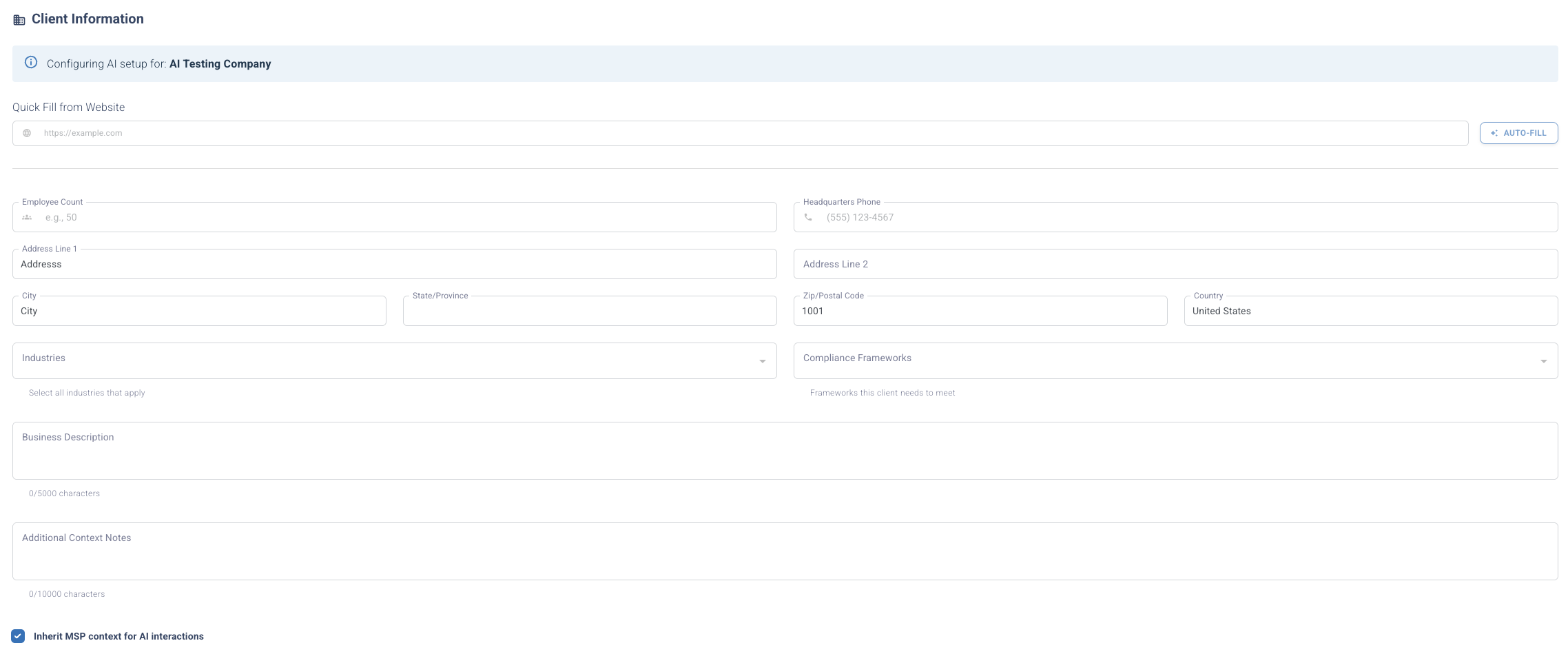
Client AI setup showing inherited tools and configuration from MSP
Every client automatically inherits your MSP baseline context. No manual setup required.
Clients can override with specifics:
- Add client-specific tools
- Specify the client's industry (if different from the MSP focus)
- Add a business description for additional context
- Select applicable frameworks
Result: Each client gets MSP expertise + client-specific customization.
Step 3: AI Uses Context Everywhere
Every time you use an AI feature, the Context Engine automatically injects relevant context into the AI prompt:
- Policy Generation - References your tools and frameworks
- Gap Analysis - Identifies missing controls based on your tool stack
- Control Explanations - Explains controls using your terminology
- Test Questions - Generates questions for your specific environment
- Remediation Plans - Recommends solutions using your existing tools
Context-Aware vs. Generic AI: Side-by-Side
Example 1: MFA Implementation
Generic AI (ChatGPT):
"Implement multi-factor authentication. Use an authenticator app or hardware token. Configure it on all systems."
Context Engine (knows you use Microsoft Entra ID):
"Configure MFA in Microsoft Entra ID (formerly Azure AD), which you're already using. For healthcare clients, ensure MFA meets HIPAA's authentication requirements by enabling phishing-resistant methods. Your Shared Responsibility Matrix indicates that the MSP handles MFA configuration. Confirm with the client before enabling."
Example 2: Policy Generation
Generic AI:
"Your organization should implement endpoint protection using industry-standard tools..."
Context Engine (knows you use CrowdStrike):
"[Client Name] deploys CrowdStrike Falcon as the endpoint detection and response (EDR) solution. The MSP is responsible for configuration and monitoring per the Shared Responsibility Matrix. This satisfies CMMC Level 2 requirement AC.2.007 (Employ least privilege)..."
What Context Engine Knows About You
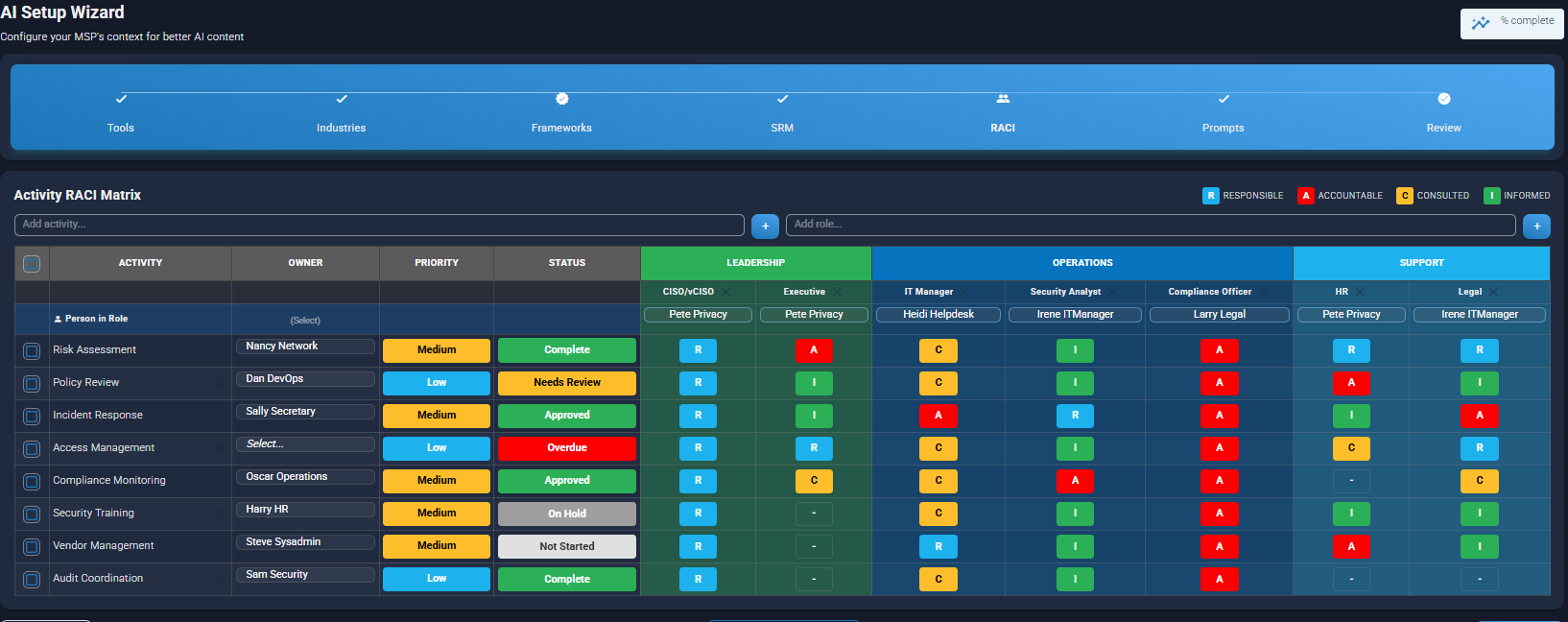
RACI matrix defining roles and responsibilities for security activities
- 33 Security Tools - From EDR to email security, mapped to compliance controls
- 5 Industry Templates - Financial, Government, Healthcare, IT, Manufacturing
- 28 Compliance Frameworks - NIST 800-53, CMMC, HIPAA, SOC 2, ISO 27001, PCI-DSS, and more
- RACI Assignments - Who does what in your compliance program
- Shared Responsibility - Clear MSP vs. client boundaries
- Client-Specific Context - Business descriptions, unique tools, industry nuances
Context Engine Benefits
80% Reduction in Editing Time
Because AI outputs are already tailored to your environment, you spend less time correcting generic advice and more time delivering value.
Accurate, Specific Guidance
AI references real tools, frameworks, and responsibilities. No more "generic identity provider" or "use a SIEM tool" when you've already deployed specific solutions.
Scales Across Clients
Configure your MSP baseline once, benefit across 50, 100, or 500 clients. Each client gets customized output without manual per-client configuration.
Compliance-Ready Output
Generated content automatically aligns with your selected frameworks, accelerating audits and assessments.
Context Engine Limitations
We believe in transparency. Here's what you should know:
- 40-tool catalog limit - UI supports up to 40 tools (covers most MSP stacks)
- Manual configuration - Tools aren't auto-discovered from your RMM/PSA (roadmap Q2 2026)
- 15-minute cache - Context updates take up to 15 minutes to propagate (performance optimization)
- Single industry per client - Clients select one primary industry (use business description for secondary industries)
Despite these limits, Context Engine delivers dramatically better results than generic AI.
Who Benefits from Context Engine?
MSPs Serving Multiple Clients
Configure once, deliver context-aware compliance to every client. Each client gets a unique output based on their industry and tools.
vCISOs and Compliance Consultants
Provide expert-level guidance at scale. Your AI assistant knows your methodology and applies it consistently.
Internal Compliance Teams
Get answers tailored to your organization's actual environment, not generic compliance advice.
Context Engine Powers These Features
The Context Engine is the foundation for all v10 AI capabilities:
- AI Policy Generation - Policies reference your tools and frameworks
- Gap Analysis - Identifies missing controls based on your stack
- Test Question Generator - Questions about your specific environment
- Plain Language Mode - Explains your controls in simple terms
- Tool Economics - Recommends tools that fill your gaps
Get Started with Context Engine
Context Engine is included with v10 at no additional cost. Complete the AI Setup Wizard once, then watch every AI feature deliver better, more specific results.
Questions? Read the FAQ or contact our team.