Core Features
Bring Your Own AI Key: Full Control Over Your Compliance Data
Use your own OpenAI, Claude, Azure, or Google API key. Control costs, maintain data sovereignty, and avoid vendor lock-in.
The BYOK Problem: Who Controls Your AI Data?
Most compliance platforms force you to use their AI provider. You don't know:
- Where your compliance data is processed
- What the AI provider does with your data
- How much you're paying (hidden markup)
- If you can switch providers without starting over
When your compliance vendor controls the AI, you lose control of your data.
BYOK: Your AI Provider, Your Rules
BYOK (Bring Your Own Key) means you use your own AI API key instead of the platform's. Here's why that matters:
Data Sovereignty
Your compliance data flows directly from your browser to your AI provider, not through our servers. You maintain a direct contractual relationship with OpenAI, Anthropic, Azure, or Google.
Why this matters: For HIPAA, CMMC, or FedRAMP compliance, you can ensure your AI provider has signed your required agreements (BAAs, DPAs, etc)
Cost Transparency
See exactly what you pay for AI. No markups. No hidden fees. Direct billing from your provider.
- OpenAI gpt-4o-mini: $0.15 per million tokens (input)
- Claude 3.5 Sonnet: Varies by volume
- Azure OpenAI: Your negotiated enterprise pricing
- Google Gemini: Pay-as-you-go or enterprise contracts
Avoid Vendor Lock-In
Switch providers anytime without downtime. If OpenAI raises prices, switch to Claude. If Claude has an outage, fall back to Azure. You're not trapped.
Automatic failover: If your provider fails, the system retries 3 times and then falls back to the platform default (DeepInfra). 99.8% uptime guaranteed.
Supported AI Providers
Compliance Scorecard supports 5 major AI providers. Choose the one that fits your requirements:
OpenAI
Models: GPT-4o, GPT-4o-mini, GPT-4 Turbo, o1-preview
Best for: Most users, best performance/cost balance
Cost: $0.15–$0.60 per million tokens
Anthropic Claude
Models: Claude 3.5 Opus, Claude 3.5 Sonnet, Claude 3 Haiku
Best for: Long context windows, constitutional AI principles
Cost: Volume-based pricing
Azure OpenAI
Models: GPT-4, GPT-4 Turbo (custom deployments)
Best for: Enterprise Microsoft customers, data residency requirements
Cost: Enterprise contract pricing
Google Gemini
Models: Gemini 1.5 Pro, Gemini 1.5 Flash
Best for: Google Cloud customers, multimodal needs
Cost: Pay-as-you-go or enterprise pricing
DeepInfra (Platform Default)
Models: LLaMA 3.1 70B Instruct
Best for: Fallback, no API key required
Cost: Included in platform subscription
How BYOK Works

Empty provider configuration - ready to add your first AI provider
Step 1: Get Your API Key
Sign up with your chosen provider and get an API key:
- OpenAI: Visit platform.openai.com/api-keys
- Anthropic: Visit console.anthropic.com
- Azure OpenAI: Create a deployment in the Azure portal
- Google: Get API key from AI Studio
Step 2: Configure Provider in Compliance Scorecard
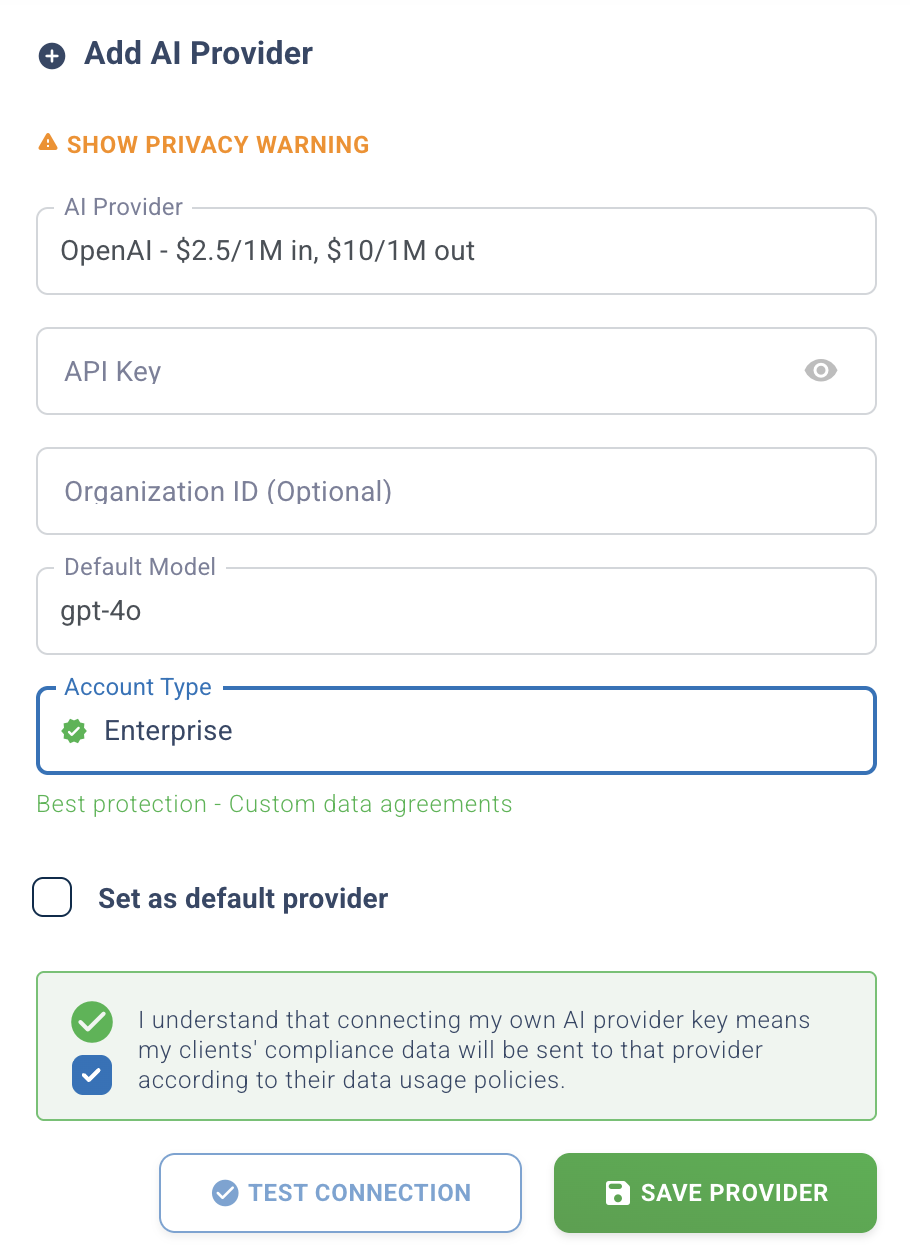
Add Provider modal - configuring OpenAI with your API key
Go to Dashboard → Settings → API Connection Setup → AI Provider
- Select your provider
- Enter your API key (encrypted at rest with AES-256)
- Choose your model (gpt-4o, claude-3-5-sonnet, etc.)
- Test configuration
- Save
Step 3: AI Features Use Your Provider
Every AI feature now uses your provider:
- Policy Generation
- Gap Analysis Reports
- Executive Summaries
- Test Question Generator
- Plain Language Mode
Your API key, your provider, your control.
BYOK vs. Platform Default
When to Use BYOK
- Compliance requirements: Need BAA, DPA, or specific data agreements
- Cost control: High volume usage, want direct billing
- Data sovereignty: CMMC, FedRAMP, or international data residency rules
- Model choice: Prefer specific model (GPT-4o vs Claude vs Gemini)
- Enterprise contracts: Already have Azure OpenAI or Google AI contracts
When Platform Default is Fine
- Low volume usage (< 1M tokens/month)
- No specific compliance requirements
- Want zero-configuration AI
- Testing the platform before committing to a provider
Security & Compliance
How We Protect Your API Keys
- AES-256 encryption: Keys encrypted at rest in the database
- Decryption only when needed: Keys decrypted in-memory for API call only
- No logging: API keys never appear in logs
- Audit trail: Track who configured keys and when
Data Processing Agreements
When you use BYOK:
- Your data goes directly to your AI provider
- You have the contract with OpenAI/Claude/Azure/Google
- You ensure BAAs, DPAs, or other agreements are signed
Compliance Scorecard is not a data processor for AI requests
Automatic Failover: 99.8% Uptime Guaranteed
If your BYOK provider fails, the system automatically handles it:
3-Attempt Retry with Exponential Backoff
- Attempt 1: Immediate retry
- Attempt 2: Wait 1 second, retry
- Attempt 3: Wait 2 seconds, retry
Fallback to Platform Default
After 3 failed attempts, the system automatically switches to DeepInfra (LLaMA 3.1) to complete the request.
Result: Users never see errors. AI features always work. 99.8% uptime.
Cost Comparison: BYOK vs. Markup
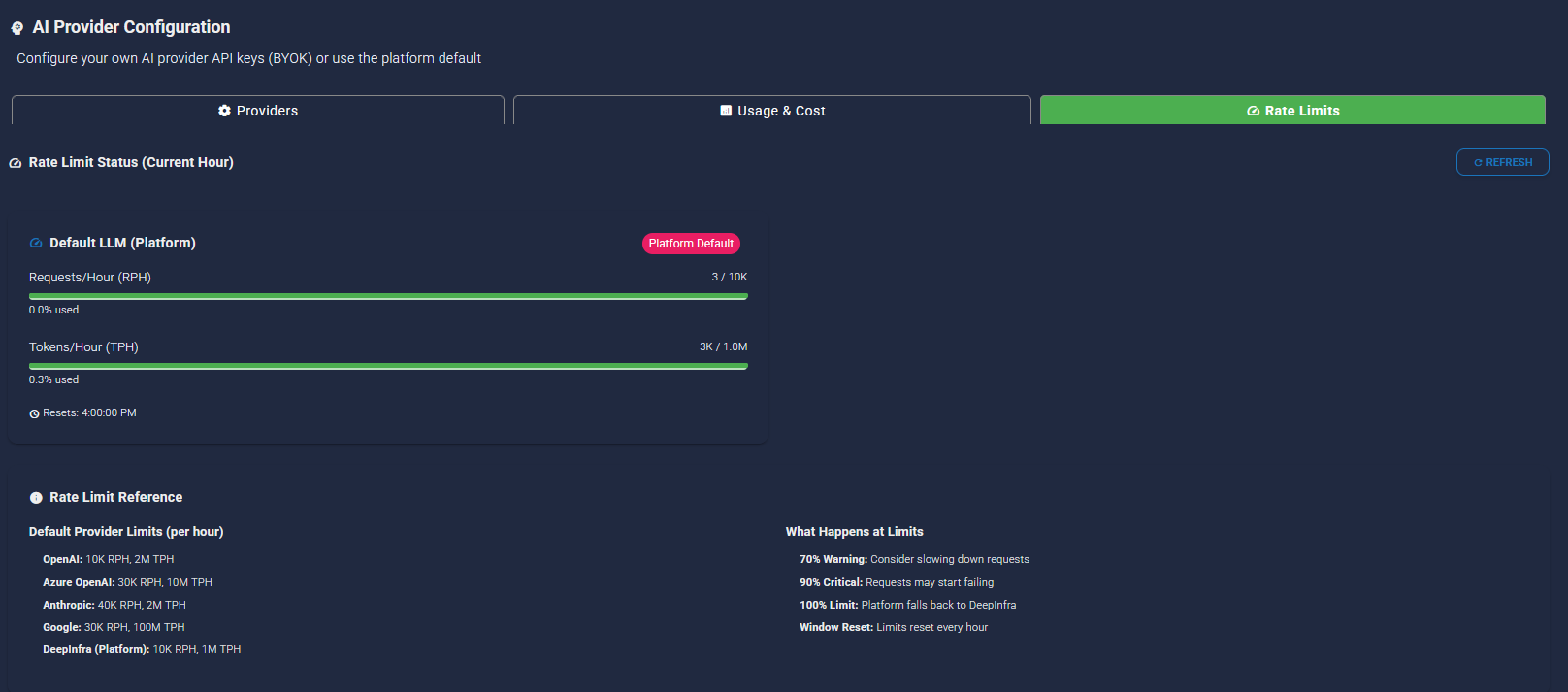
Example scenario: MSP generates 50 policies/month for clients (10M tokens)
With BYOK (OpenAI gpt-4o-mini)
- Input tokens: 8M × $0.15/1M = $1.20
- Output tokens: 2M × $0.60/1M = $1.20
- Total monthly cost: $2.40
With Typical SaaS Markup (3-5x)
- Platform charges you: $7.20–$12.00/month
- Your actual cost at OpenAI: $2.40
- Markup: $4.80–$9.60/month (200%–400%)
BYOK saves: $4.80–$9.60/month per MSP. At scale (100 MSPs), that's $480–$960/month in unnecessary markup.
MSP Use Case: Multi-Tenant BYOK
MSPs can configure BYOK at the MSP level (all clients use MSP's key) or let individual clients use their own keys.
Option 1: MSP-Level BYOK
MSP configures one API key; all clients benefit:
- MSP pays AI costs (can bill clients separately)
- MSP controls provider choice
- Simpler administration
Option 2: Client-Level BYOK (Roadmap Q2 2026)
Each client uses their own API key:
- Client pays their own AI costs
- Client maintains data sovereignty
- Ideal for regulated industries (HIPAA, CMMC)
BYOK Limitations
We believe in transparency. Here's what you should know:
- Configuration required: You need to sign up with a provider and configure API keys (5-minute setup)
- You pay AI bills: You're billed directly by your provider (this is a feature, but requires payment setup)
- Provider outages: If your provider has downtime, automatic failover kicks in (uses platform default until your provider recovers)
- Client-level BYOK not yet available: Currently MSP-level only (client-level coming Q2 2026)
Who Benefits from BYOK?
Regulated Industries (HIPAA, CMMC, FedRAMP)
Maintain direct contracts with AI providers to ensure compliance with data processing requirements. Sign BAAs directly with OpenAI or use Azure OpenAI in your own tenant.
High-Volume MSPs
Generate 100+ policies/month? Direct billing saves hundreds per month vs. markup pricing.
Enterprise Microsoft Customers
Already have Azure OpenAI deployed? Use your existing deployment and leverage your enterprise pricing.
Cost-Conscious Organizations
See exactly what you pay. No surprises. No markups.
Get Started with BYOK
BYOK is included with v10 at no additional cost. Configure your provider in 5 minutes.
Questions? Read the FAQ or contact our team.